
Phishing Attacks and Everything You Need To Know
This post explains how phishing works, how to recognise warning signs, and what steps to take if you or your business are affected.
Last year, 94% of South African businesses were targeted by email phishing attempts. These scams have become increasingly sophisticated, using personal and demographic data to appear legitimate. You may receive emails that seem to come from your child’s school, SARS, or your bank. To help protect you and your business, this guide covers how to spot phishing attempts and what to do if an employee or system has been exposed.
What are phishing attacks?
Phishing is a cyberattack that disguises itself as a trusted source. Victims receive messages that appear legitimate, such as emails from banks or service providers, but are designed to steal sensitive information like passwords, PINs, or credit card details. These attacks usually involve emails, messages, or links to fake websites.
Phishing is not a data breach. It relies on manipulating human behaviour using urgency, fear, or authority rather than exploiting technical weaknesses. Even experienced users can be caught off guard.
TYPES OF PHISHING ATTACKS
Phishing attacks can take several forms, including email phishing, targeted spear phishing, executive-focused whaling, SMS phishing, voice phishing, and fake websites designed to look legitimate.
The goal is always the same: to collect sensitive information that can be used for fraud, identity theft, unauthorised transactions, or resale on the dark web.
How to identify a phishing email
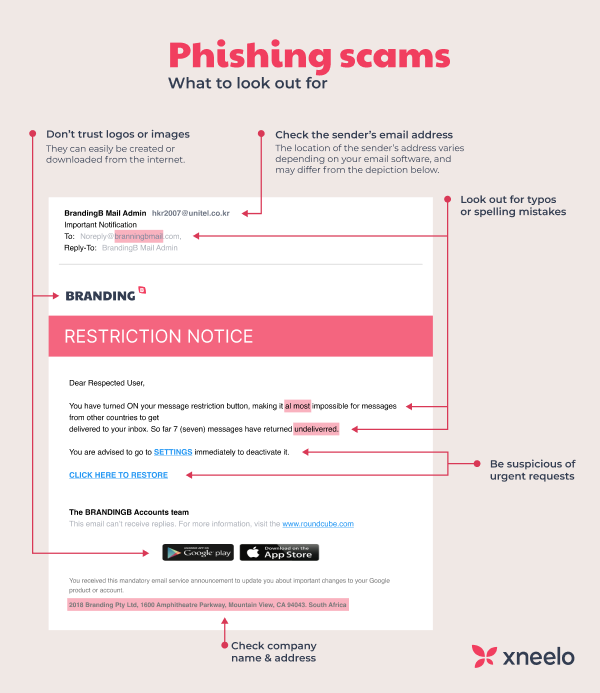
Phishing emails often appear to come from trusted sources and request urgent action, such as clicking a link or sharing personal information.
Common warning signs include poor grammar, unfamiliar sender addresses, suspicious links, and a strong sense of urgency.
If you are unsure whether an email or message is legitimate, share a screenshot in your Blue Digital WhatsApp group before taking any action.
How to protect against phishing attacks in your business
As a business owner, you may not see every email, but you can reduce risk by training staff to recognise phishing attempts, enabling multi-factor authentication, and using effective email spam filters.
What to do if you have been affected
If you fall victim to a phishing attack, act immediately. Contact Blue Digital to request a password reset for your email account, change any other compromised passwords, and enable two-factor authentication where available.
Review your bank statements for suspicious activity, cancel affected bank cards if necessary, and report the incident to the cybercrime department of the police.
Examples of phishing scams
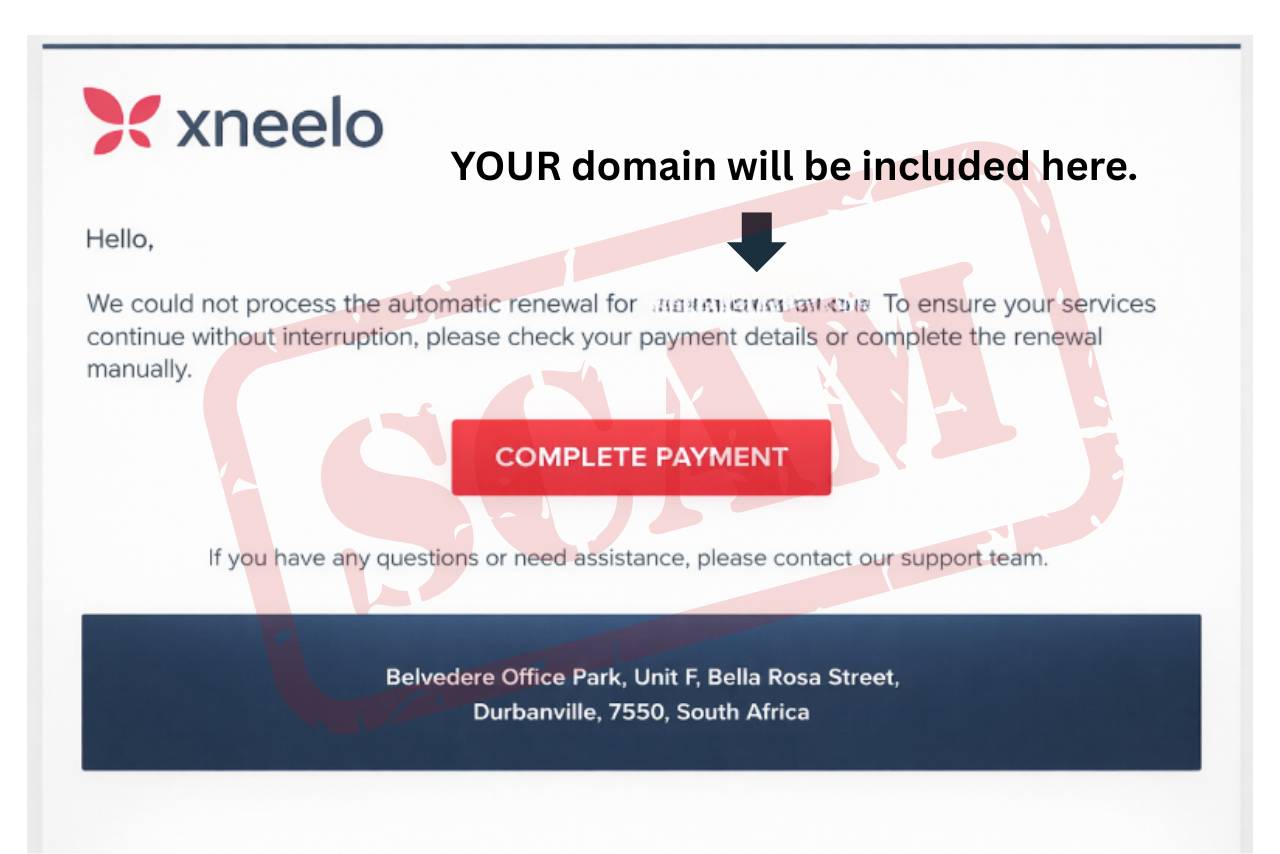
Phishing scams may involve emails requesting sensitive information, fake websites that capture login details, phone calls posing as banks, or malicious email attachments that install malware.
These scams often appear urgent and convincing, but their purpose is always to steal information.
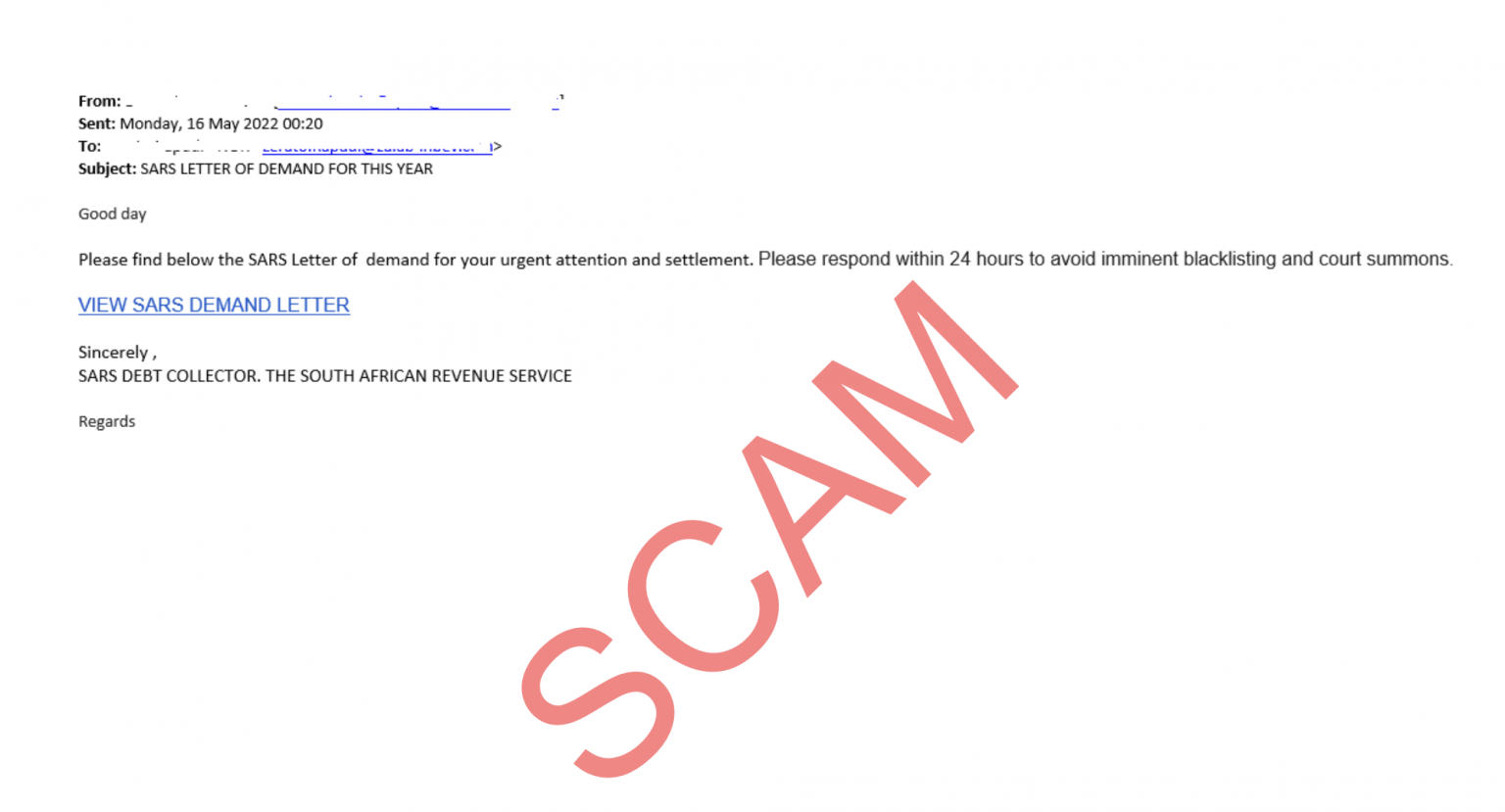
Source: SARS
How to prevent becoming a victim
Always check the sender’s email address carefully, even if the message appears to come from a trusted organisation.
Never respond to emails or messages requesting personal or financial information, and avoid clicking on links unless you are certain they are legitimate. Sensitive information should never be shared via email.
Use trusted security software, review bank statements regularly, and be cautious when opening attachments or downloading files from unknown or unexpected senders.